Generating Single Frame PSFs with spike
Some of the utility of spike is baked into the fact that it creates PSFs for individual images/coordinates using consistent syntax across a variety of different PSF generation methods. Even outside of cases where a drizzled/resampled PSF would be useful, these image-specific PSFs can be generated quickly and easily.
This example notebook assumes that you have all of the optional PSF generation dependencies installed – i.e., TinyTim, PSFEx (and SExtractor), and STPSF (formerly WebbPSF). It uses the following HST and JWST files (also used in generating the Polzin 2025 figures and in the other example notebooks):
j8pu42ecq_flc.fits (HST/ACS; observation ID j8pu42010)
jw02514162001_03201_00001_nrca2_cal.fits (JWST/NIRCam; observation ID jw02514162001_03201_00001_nrca2)
The data used in this example is available for download from MAST (via search) or here.
Other than using paths for these data, the syntax is generic and servers as a guide for use with other data.
[1]:
from spike import psfgen
from spike.tools import objloc, checkpixloc, cutout

# spike will save images of single frame PSFs if 'plot = True', but
# to display output PSFs in this notebook, we'll import the following
import matplotlib.pyplot as plt
import numpy as np

# to demonstrate the save feature and read in output files
from astropy.io import fits
from astropy.wcs import WCS
import astropy.units as u
The spike.psfgen and spike.tools functions take image paths as inputs, so we’ll define those for our example files below:
[ ]:
hstimg = '/path/to/j8pu42ecq_flc.fits'
jwstimg = '/path/to/jw02514162001_03201_00001_nrca2_cal.fits'
We’ll also define some example objects, which are the locations for which the PSFs will be generated. spike.tools.objloc takes as argument sexagecimal or degree coordinates or a Simbad-resolvable target name. (Equivalently, you can feed spike an astropy.SkyCoord object, though objloc handles formatting and target resolution automatically.)
[3]:
hstobj = objloc('10:00:33.0178 +02:09:52.304')
jwstobj = objloc('10:00:31.432 +02:10:26.29')
Now we’ll use spike.tools.checkpixloc to get more information about the target in the context of the images – the output of spike.tools.checkpixloc is a list, which follows [X, Y, chip, filter], based on the target coordinates and image headers and WCS. (Equivalently, you can feed spike a list that contains those same entries, but as above, checkpixloc is intended to handle this automatically, including returning NaNs if the object does not fall within the specified frame.)
[4]:
hstpos = checkpixloc(coords = hstobj, img = hstimg, inst = 'ACS', camera = 'WFC')
jwstpos = checkpixloc(coords = jwstobj, img = jwstimg, inst = 'NIRCam')
2025-05-12 16:03:13,537 - stpipe - WARNING - /Users/avapolzin/opt/anaconda3/envs/spike/lib/python3.10/site-packages/astropy/wcs/wcs.py:805: FITSFixedWarning: 'datfix' made the change 'Set DATE-BEG to '2024-01-06T21:41:23.047' from MJD-BEG.
Set DATE-AVG to '2024-01-06T21:47:54.939' from MJD-AVG.
Set DATE-END to '2024-01-06T21:54:26.831' from MJD-END'.

2025-05-12 16:03:13,538 - stpipe - WARNING - /Users/avapolzin/opt/anaconda3/envs/spike/lib/python3.10/site-packages/astropy/wcs/wcs.py:805: FITSFixedWarning: 'obsfix' made the change 'Set OBSGEO-L to    96.501634 from OBSGEO-[XYZ].
Set OBSGEO-B to     8.973245 from OBSGEO-[XYZ].
Set OBSGEO-H to 1686306457.041 from OBSGEO-[XYZ]'.
[5]:
hstpos, jwstpos
[5]:
([1020.4395296389423, 181.38330292850168, 2, 'F475W'],
 [536.216683711077, 1095.4223004832825, 'NRCA2', 'F115W'])
From the checpixloc outputs, we can see where the target is located on the image (in pix), that for each instrument, the object falls on chip 2, and that the images use F475W (HST) and F115W (JWST).
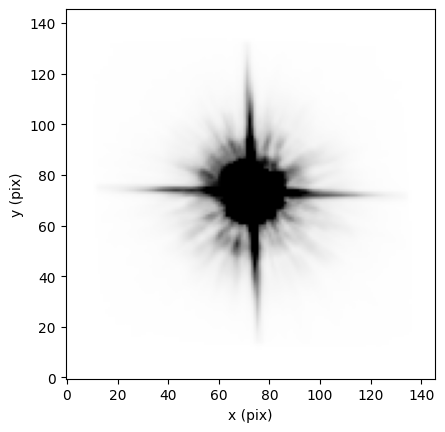
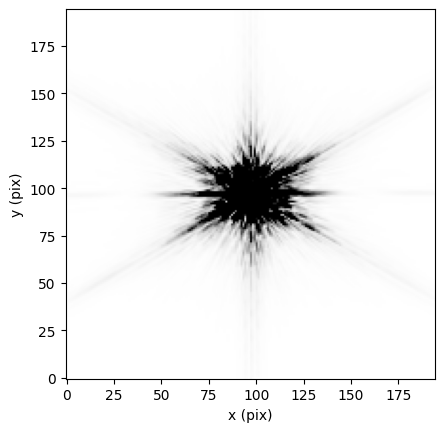
Now all that’s left is to actually generate the single frame PSFs using spike.psfgen. By default, spike.psf uses TinyTim (HST) and STPSF (formerly WebbPSF; JWST and Roman), so we’ll start by generating PSFs with those methods using only the default parameters.
If writeto = True, spike.tools.rewrite_fits will place the PSF model in the context of the full input image and save it as a .fits file. For this notebook, we will use writeto = False, so that no additional outputs are generated beyond those created by the PSF generation methods themselves (e.g., TinyTim generates .fits files containing model PSFs in your image directory).
[6]:
hstpsf = psfgen.tinypsf(coords = hstobj, img = hstimg, imcam = 'ACS/WFC', pos = hstpos,
                        writeto = False)
2025-05-12 16:03:18,324 - stpipe - WARNING - /var/folders/z4/0z0plfnn1s7fxvtsh_70vwyh0000gn/T/ipykernel_59283/2956791943.py:1: Warning: All of major, minor, and angle must be specified to be applied. Proceeding with no elliptical jitter.
Tiny Tim v7.5
Intermediate PSF dimensions are 464 by 464

Computing PSF for position 1/1 (x,y) = 1020 181
   Computing PSF 1/18 for wavelength 393.82 nm (weight=0.008917)
   Computing PSF 2/18 for wavelength 402.92 nm (weight=0.024755)
   Computing PSF 3/18 for wavelength 412.02 nm (weight=0.037561)
   Computing PSF 4/18 for wavelength 421.11 nm (weight=0.045079)
   Computing PSF 5/18 for wavelength 430.21 nm (weight=0.052658)
   Computing PSF 6/18 for wavelength 439.31 nm (weight=0.056584)
   Computing PSF 7/18 for wavelength 448.41 nm (weight=0.059373)
   Computing PSF 8/18 for wavelength 457.51 nm (weight=0.061140)
   Computing PSF 9/18 for wavelength 466.61 nm (weight=0.064193)
   Computing PSF 10/18 for wavelength 475.70 nm (weight=0.065803)
   Computing PSF 11/18 for wavelength 484.80 nm (weight=0.067198)
   Computing PSF 12/18 for wavelength 493.90 nm (weight=0.069242)
   Computing PSF 13/18 for wavelength 503.00 nm (weight=0.070478)
   Computing PSF 14/18 for wavelength 512.10 nm (weight=0.072073)
   Computing PSF 15/18 for wavelength 521.20 nm (weight=0.071785)
   Computing PSF 16/18 for wavelength 530.30 nm (weight=0.070366)
   Computing PSF 17/18 for wavelength 539.39 nm (weight=0.069026)
   Computing PSF 18/18 for wavelength 548.49 nm (weight=0.033769)
   Writing PSF to /Users/avapolzin/Desktop/psf_testoutputs/acs/j8pu42ecq_flc_150d08m15.267s+2d09m52.304s_F475W_psf00_psf.fits

Started at  Mon May 12 16:03:18 2025
Finished at Mon May 12 16:03:21 2025

Writing template optional parameter file for tiny3 to /Users/avapolzin/Desktop/psf_testoutputs/acs/j8pu42ecq_flc_150d08m15.267s+2d09m52.304s_F475W_psf.tt3.

To continue PSF processing for ACS and WFC3, you must run tiny3 to resample
and distort the PSF.  You may also process a simulated scene (see
the manual for details).

Just to distort the PSF, issue this command :

        tiny3 tiny.param

Tiny Tim v7.5
Processing PSF for position 1/1 : (x,y) = 1020 181
Reading input PSF from /Users/avapolzin/Desktop/psf_testoutputs/acs/j8pu42ecq_flc_150d08m15.267s+2d09m52.304s_F475W_psf00_psf.fits.
  Input critically-sampled undistorted PSF dimensions are 464 by 464 (0.013018 arcsec/pixel).
  Mapping PSF onto distorted grid.
  Convolving PSF with charge diffusion kernel.
  Writing distorted PSF to /Users/avapolzin/Desktop/psf_testoutputs/acs/j8pu42ecq_flc_150d08m15.267s+2d09m52.304s_F475W_psf00.fits (146 by 146 pixels)

Started at  Mon May 12 16:03:21 2025
Finished at Mon May 12 16:03:21 2025
[7]:
fig = plt.figure()
plt.imshow(hstpsf, vmin = np.nanpercentile(hstpsf, 20), vmax = np.nanpercentile(hstpsf, 97),
            origin = 'lower', cmap = 'Greys')
plt.xlabel('x (pix)')
plt.ylabel('y (pix)')
[7]:
Text(0, 0.5, 'y (pix)')
[8]:
jwstpsf = psfgen.jwpsf(coords = jwstobj, img = jwstimg, imcam = 'NIRCam', pos = jwstpos,
                        writeto = False)
[9]:
fig = plt.figure()
plt.imshow(jwstpsf, vmin = np.nanpercentile(jwstpsf, 20), vmax = np.nanpercentile(jwstpsf, 97),
            origin = 'lower', cmap = 'Greys')
plt.xlabel('x (pix)')
plt.ylabel('y (pix)')
[9]:
Text(0, 0.5, 'y (pix)')
spike gives users complete control over the PSF generation parameters via keyword arguments to spike.psfgen. All of the primary options are laid out in the spike documentation, and many functions take additional arguments that are detailed in the specific documentation for that PSF generation method (e.g., the STPSF – formerly WebbPSF –documentation).
For instance, we can generate a TinyTim PSF for an O-type star with Teff = 45000 K.
[10]:
hstpsf = psfgen.tinypsf(coords = hstobj, img = hstimg, imcam = 'ACS/WFC', pos = hstpos,
                        listchoice = 'O6', temp = 45000, writeto = False)
2025-05-12 16:03:44,727 - stpipe - WARNING - /var/folders/z4/0z0plfnn1s7fxvtsh_70vwyh0000gn/T/ipykernel_59283/1086459123.py:1: Warning: All of major, minor, and angle must be specified to be applied. Proceeding with no elliptical jitter.
Tiny Tim v7.5
Intermediate PSF dimensions are 464 by 464

Computing PSF for position 1/1 (x,y) = 1020 181
   Computing PSF 1/18 for wavelength 393.82 nm (weight=0.018692)
   Computing PSF 2/18 for wavelength 402.92 nm (weight=0.046730)
   Computing PSF 3/18 for wavelength 412.02 nm (weight=0.064174)
   Computing PSF 4/18 for wavelength 421.11 nm (weight=0.070042)
   Computing PSF 5/18 for wavelength 430.21 nm (weight=0.074734)
   Computing PSF 6/18 for wavelength 439.31 nm (weight=0.073655)
   Computing PSF 7/18 for wavelength 448.41 nm (weight=0.071159)
   Computing PSF 8/18 for wavelength 457.51 nm (weight=0.067712)
   Computing PSF 9/18 for wavelength 466.61 nm (weight=0.065917)
   Computing PSF 10/18 for wavelength 475.70 nm (weight=0.062852)
   Computing PSF 11/18 for wavelength 484.80 nm (weight=0.059882)
   Computing PSF 12/18 for wavelength 493.90 nm (weight=0.057730)
   Computing PSF 13/18 for wavelength 503.00 nm (weight=0.055124)
   Computing PSF 14/18 for wavelength 512.10 nm (weight=0.053016)
   Computing PSF 15/18 for wavelength 521.20 nm (weight=0.049779)
   Computing PSF 16/18 for wavelength 530.30 nm (weight=0.046104)
   Computing PSF 17/18 for wavelength 539.39 nm (weight=0.042822)
   Computing PSF 18/18 for wavelength 548.49 nm (weight=0.019876)
   Writing PSF to /Users/avapolzin/Desktop/psf_testoutputs/acs/j8pu42ecq_flc_150d08m15.267s+2d09m52.304s_F475W_psf00_psf.fits

Started at  Mon May 12 16:03:44 2025
Finished at Mon May 12 16:03:47 2025

Writing template optional parameter file for tiny3 to /Users/avapolzin/Desktop/psf_testoutputs/acs/j8pu42ecq_flc_150d08m15.267s+2d09m52.304s_F475W_psf.tt3.

To continue PSF processing for ACS and WFC3, you must run tiny3 to resample
and distort the PSF.  You may also process a simulated scene (see
the manual for details).

Just to distort the PSF, issue this command :

        tiny3 tiny.param

Tiny Tim v7.5
Processing PSF for position 1/1 : (x,y) = 1020 181
Reading input PSF from /Users/avapolzin/Desktop/psf_testoutputs/acs/j8pu42ecq_flc_150d08m15.267s+2d09m52.304s_F475W_psf00_psf.fits.
  Input critically-sampled undistorted PSF dimensions are 464 by 464 (0.013018 arcsec/pixel).
  Mapping PSF onto distorted grid.
  Convolving PSF with charge diffusion kernel.
  Writing distorted PSF to /Users/avapolzin/Desktop/psf_testoutputs/acs/j8pu42ecq_flc_150d08m15.267s+2d09m52.304s_F475W_psf00.fits (146 by 146 pixels)

Started at  Mon May 12 16:03:47 2025
Finished at Mon May 12 16:03:47 2025
[11]:
fig = plt.figure()
plt.imshow(hstpsf, vmin = np.nanpercentile(hstpsf, 20), vmax = np.nanpercentile(hstpsf, 97),
            origin = 'lower', cmap = 'Greys')
plt.xlabel('x (pix)')
plt.ylabel('y (pix)')
[11]:
Text(0, 0.5, 'y (pix)')

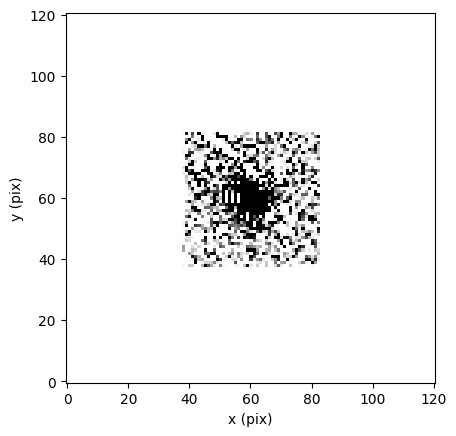
Empirical PSFs can also be generated for individual frames in this way. Below, we’ll use spike.psfgen.psfex, which automatically runs both SExtractor and PSFEx to return a model PSF.
[12]:
hstpsf = psfgen.psfex(coords = hstobj, img = hstimg, imcam = 'ACS/WFC', pos = hstpos,
                        writeto = False)
>
----- SExtractor 2.28.0 started on 2025-05-12 at 16:03:54 with 1 thread

> Setting catalog parameters
> Reading detection filter
> Initializing catalog
> Looking for j8pu42ecq_flc_mask.fits
----- Measuring from: j8pu42ecq_flc_mask.fits [1/3]
      "Unnamed" / no ext. header / 4096x2048 / 32 bits (floats)
Detection+Measurement image: > Setting up background maps
> Setting up background map at line:   64
> Setting up background map at line:  128
> Setting up background map at line:  192
> Setting up background map at line:  256
> Setting up background map at line:  320
> Setting up background map at line:  384
> Setting up background map at line:  448
> Setting up background map at line:  512
> Setting up background map at line:  576
> Setting up background map at line:  640
> Setting up background map at line:  704
> Setting up background map at line:  768
> Setting up background map at line:  832
> Setting up background map at line:  896
> Setting up background map at line:  960
> Setting up background map at line: 1024
> Setting up background map at line: 1088
> Setting up background map at line: 1152
> Setting up background map at line: 1216
> Setting up background map at line: 1280
> Setting up background map at line: 1344
> Setting up background map at line: 1408
> Setting up background map at line: 1472
> Setting up background map at line: 1536
> Setting up background map at line: 1600
> Setting up background map at line: 1664
> Setting up background map at line: 1728
> Setting up background map at line: 1792
> Setting up background map at line: 1856
> Setting up background map at line: 1920
> Setting up background map at line: 1984
> Filtering background map(s)
> Computing background d-map
> Computing background-noise d-map
(M+D) Background: 69.5221    RMS: 9.94267    / Threshold: 1242.83
> Scanning image
> Line:   25  Objects:        3 detected /        0 sextracted
> Line:   50  Objects:        3 detected /        0 sextracted
> Line:   75  Objects:        3 detected /        0 sextracted
> Line:  100  Objects:        3 detected /        0 sextracted
> Line:  125  Objects:        3 detected /        0 sextracted
> Line:  150  Objects:        3 detected /        0 sextracted
> Line:  175  Objects:        3 detected /        0 sextracted
> Line:  200  Objects:        3 detected /        0 sextracted
> Line:  225  Objects:        3 detected /        0 sextracted
> Line:  250  Objects:        3 detected /        0 sextracted
> Line:  275  Objects:        3 detected /        0 sextracted
> Line:  300  Objects:        3 detected /        0 sextracted
> Line:  325  Objects:        3 detected /        0 sextracted
> Line:  350  Objects:        3 detected /        0 sextracted
> Line:  375  Objects:        3 detected /        0 sextracted
> Line:  400  Objects:        3 detected /        0 sextracted
> Line:  425  Objects:        3 detected /        0 sextracted
> Line:  450  Objects:        3 detected /        0 sextracted
> Line:  475  Objects:        3 detected /        0 sextracted
> Line:  500  Objects:        3 detected /        0 sextracted
> Line:  525  Objects:        3 detected /        0 sextracted
> Line:  550  Objects:        3 detected /        0 sextracted
> Line:  575  Objects:        3 detected /        0 sextracted
> Line:  600  Objects:        3 detected /        0 sextracted
> Line:  625  Objects:        3 detected /        0 sextracted
> Line:  650  Objects:        3 detected /        0 sextracted
> Line:  675  Objects:        3 detected /        0 sextracted
> Line:  700  Objects:        3 detected /        0 sextracted
> Line:  725  Objects:        3 detected /        0 sextracted
> Line:  750  Objects:        3 detected /        0 sextracted
> Line:  775  Objects:        3 detected /        0 sextracted
> Line:  800  Objects:        3 detected /        0 sextracted
> Line:  825  Objects:        6 detected /        0 sextracted
> Line:  850  Objects:        6 detected /        0 sextracted
> Line:  875  Objects:        6 detected /        0 sextracted
> Line:  900  Objects:        6 detected /        0 sextracted
> Line:  925  Objects:        6 detected /        0 sextracted
> Line:  950  Objects:        6 detected /        0 sextracted
> Line:  975  Objects:        6 detected /        0 sextracted
> Line: 1000  Objects:        6 detected /        0 sextracted
> Line: 1022  Objects:        6 detected /        0 sextracted
> Line: 1025  Objects:        6 detected /        1 sextracted
> Line: 1050  Objects:        6 detected /        1 sextracted
> Line: 1075  Objects:        6 detected /        1 sextracted
> Line: 1100  Objects:        6 detected /        1 sextracted
> Line: 1125  Objects:        6 detected /        1 sextracted
> Line: 1150  Objects:        6 detected /        1 sextracted
> Line: 1175  Objects:        6 detected /        1 sextracted
> Line: 1200  Objects:        6 detected /        1 sextracted
> Line: 1225  Objects:        6 detected /        1 sextracted
> Line: 1250  Objects:        6 detected /        1 sextracted
> Line: 1275  Objects:        6 detected /        1 sextracted
> Line: 1300  Objects:        6 detected /        1 sextracted
> Line: 1325  Objects:        6 detected /        1 sextracted
> Line: 1350  Objects:        6 detected /        1 sextracted
> Line: 1375  Objects:        6 detected /        1 sextracted
> Line: 1400  Objects:        6 detected /        1 sextracted
> Line: 1425  Objects:        6 detected /        1 sextracted
> Line: 1450  Objects:        6 detected /        1 sextracted
> Line: 1475  Objects:        6 detected /        1 sextracted
> Line: 1500  Objects:        6 detected /        1 sextracted
> Line: 1525  Objects:        7 detected /        1 sextracted
> Line: 1550  Objects:        7 detected /        1 sextracted
> Line: 1575  Objects:        7 detected /        1 sextracted
> Line: 1600  Objects:        7 detected /        1 sextracted
> Line: 1625  Objects:        7 detected /        1 sextracted
> Line: 1650  Objects:        7 detected /        1 sextracted
> Line: 1675  Objects:        7 detected /        1 sextracted
> Line: 1700  Objects:        7 detected /        1 sextracted
> Line: 1725  Objects:        7 detected /        1 sextracted
> Line: 1750  Objects:        7 detected /        2 sextracted
> Line: 1775  Objects:        7 detected /        3 sextracted
> Line: 1800  Objects:        7 detected /        3 sextracted
> Line: 1825  Objects:        8 detected /        4 sextracted
> Line: 1850  Objects:        8 detected /        4 sextracted
> Line: 1875  Objects:        8 detected /        4 sextracted
> Line: 1900  Objects:        8 detected /        4 sextracted
> Line: 1925  Objects:       10 detected /        4 sextracted
> Line: 1950  Objects:       10 detected /        4 sextracted
> Line: 1975  Objects:       10 detected /        4 sextracted
> Line: 2000  Objects:       10 detected /        4 sextracted
> Line: 2025  Objects:       10 detected /        4 sextracted
      Objects: detected 10       / sextracted 8

> Closing files
>
> All done (in 0.2 s: 9057.8 lines/s , 35.4 detections/s)

> WARNING: This executable has been compiled using a version of the ATLAS library without support for multithreading. Performance will be degraded.


> WARNING: This executable has been compiled using a version of the FFTW library without support for multithreading. Performance will be degraded.

>
----- PSFEx 3.24.1 started on 2025-05-12 at 16:03:55 with 8 threads

>
----- 1 input catalogues:
j8pu42ecq_flc.cat   :  "no ident        "    1 extension       8 detections

> Initializing contexts...
> Reading data from j8pu42ecq_flc...
> Computing final PSF model for j8pu42ecq_flc...
   filename      [ext] accepted/total samp. chi2/dof FWHM ellip. resi. asym.
> Computing diagnostics for j8pu42ecq_flc...
j8pu42ecq_flc                2/2       1.00   1.19   1.67  0.02  0.02  0.04
> Saving CHECK-image #1...
> Saving CHECK-image #2...
> Saving CHECK-image #3...
> Saving CHECK-image #4...
> Saving CHECK-image #5...
> Saving PSF model and metadata for j8pu42ecq_flc...
> Writing XML file...
>
> All done (in 4.0 s)
mv: test.psf: No such file or directory
rm: *.conv: No such file or directory
[13]:
fig = plt.figure()
plt.imshow(hstpsf, vmin = np.nanpercentile(hstpsf, 20), vmax = np.nanpercentile(hstpsf, 97),
            origin = 'lower', cmap = 'Greys')
plt.xlabel('x (pix)')
plt.ylabel('y (pix)')
[13]:
Text(0, 0.5, 'y (pix)')
And the same for JWST:
[14]:
jwstpsf = psfgen.psfex(coords = jwstobj, img = jwstimg, imcam = 'NIRCam', pos = jwstpos,
                        writeto = False)
>
----- SExtractor 2.28.0 started on 2025-05-12 at 16:04:09 with 1 thread

> Setting catalog parameters
> Reading detection filter
> Initializing catalog
> Looking for jw02514162001_03201_00001_nrca2_cal_mask.fits
----- Measuring from: jw02514162001_03201_00001_nrca2_cal_mask.fits [1/3]
      "Unnamed" / no ext. header / 2048x2048 / 32 bits (floats)
Detection+Measurement image: > Setting up background maps
> Setting up background map at line:   64
> Setting up background map at line:  128
> Setting up background map at line:  192
> Setting up background map at line:  256
> Setting up background map at line:  320
> Setting up background map at line:  384
> Setting up background map at line:  448
> Setting up background map at line:  512
> Setting up background map at line:  576
> Setting up background map at line:  640
> Setting up background map at line:  704
> Setting up background map at line:  768
> Setting up background map at line:  832
> Setting up background map at line:  896
> Setting up background map at line:  960
> Setting up background map at line: 1024
> Setting up background map at line: 1088
> Setting up background map at line: 1152
> Setting up background map at line: 1216
> Setting up background map at line: 1280
> Setting up background map at line: 1344
> Setting up background map at line: 1408
> Setting up background map at line: 1472
> Setting up background map at line: 1536
> Setting up background map at line: 1600
> Setting up background map at line: 1664
> Setting up background map at line: 1728
> Setting up background map at line: 1792
> Setting up background map at line: 1856
> Setting up background map at line: 1920
> Setting up background map at line: 1984
> Filtering background map(s)
> Computing background d-map
> Computing background-noise d-map
(M+D) Background: 0.281995   RMS: 0.0307562  / Threshold: 3.84453
> Scanning image
> Line:   25  Objects:        0 detected /        0 sextracted
> Line:   50  Objects:        0 detected /        0 sextracted
> Line:   75  Objects:        0 detected /        0 sextracted
> Line:  100  Objects:        0 detected /        0 sextracted
> Line:  125  Objects:        0 detected /        0 sextracted
> Line:  150  Objects:        0 detected /        0 sextracted
> Line:  175  Objects:        0 detected /        0 sextracted
> Line:  200  Objects:        1 detected /        0 sextracted
> Line:  225  Objects:        1 detected /        0 sextracted
> Line:  250  Objects:        1 detected /        0 sextracted
> Line:  275  Objects:        1 detected /        0 sextracted
> Line:  300  Objects:        1 detected /        0 sextracted
> Line:  325  Objects:        1 detected /        0 sextracted
> Line:  350  Objects:        1 detected /        0 sextracted
> Line:  375  Objects:        1 detected /        0 sextracted
> Line:  400  Objects:        1 detected /        0 sextracted
> Line:  425  Objects:        1 detected /        0 sextracted
> Line:  450  Objects:        1 detected /        0 sextracted
> Line:  475  Objects:        1 detected /        0 sextracted
> Line:  500  Objects:        1 detected /        0 sextracted
> Line:  525  Objects:        1 detected /        0 sextracted
> Line:  550  Objects:        2 detected /        0 sextracted
> Line:  575  Objects:        2 detected /        0 sextracted
> Line:  600  Objects:        2 detected /        0 sextracted
> Line:  625  Objects:        2 detected /        0 sextracted
> Line:  650  Objects:        2 detected /        0 sextracted
> Line:  675  Objects:        2 detected /        0 sextracted
> Line:  700  Objects:        2 detected /        0 sextracted
> Line:  725  Objects:        2 detected /        0 sextracted
> Line:  750  Objects:        2 detected /        0 sextracted
> Line:  775  Objects:        2 detected /        0 sextracted
> Line:  800  Objects:        2 detected /        0 sextracted
> Line:  825  Objects:        2 detected /        0 sextracted
> Line:  850  Objects:        2 detected /        0 sextracted
> Line:  875  Objects:        2 detected /        0 sextracted
> Line:  900  Objects:        2 detected /        0 sextracted
> Line:  925  Objects:        2 detected /        0 sextracted
> Line:  950  Objects:        2 detected /        0 sextracted
> Line:  975  Objects:        2 detected /        0 sextracted
> Line: 1000  Objects:        2 detected /        0 sextracted
> Line: 1025  Objects:        2 detected /        0 sextracted
> Line: 1050  Objects:        2 detected /        0 sextracted
> Line: 1075  Objects:        2 detected /        0 sextracted
> Line: 1100  Objects:        2 detected /        0 sextracted
> Line: 1125  Objects:        2 detected /        0 sextracted
> Line: 1150  Objects:        2 detected /        0 sextracted
> Line: 1175  Objects:        2 detected /        0 sextracted
> Line: 1179  Objects:        2 detected /        0 sextracted
> Line: 1200  Objects:        2 detected /        1 sextracted
> Line: 1225  Objects:        2 detected /        1 sextracted
> Line: 1250  Objects:        2 detected /        1 sextracted
> Line: 1275  Objects:        2 detected /        1 sextracted
> Line: 1300  Objects:        3 detected /        1 sextracted
> Line: 1325  Objects:        3 detected /        1 sextracted
> Line: 1350  Objects:        3 detected /        1 sextracted
> Line: 1375  Objects:        3 detected /        1 sextracted
> Line: 1400  Objects:        3 detected /        1 sextracted
> Line: 1425  Objects:        3 detected /        1 sextracted
> Line: 1450  Objects:        3 detected /        1 sextracted
> Line: 1475  Objects:        3 detected /        1 sextracted
> Line: 1500  Objects:        3 detected /        1 sextracted
> Line: 1525  Objects:        3 detected /        1 sextracted
> Line: 1550  Objects:        3 detected /        2 sextracted
> Line: 1575  Objects:        3 detected /        2 sextracted
> Line: 1600  Objects:        3 detected /        2 sextracted
> Line: 1625  Objects:        3 detected /        2 sextracted
> Line: 1650  Objects:        3 detected /        2 sextracted
> Line: 1675  Objects:        3 detected /        2 sextracted
> Line: 1700  Objects:        3 detected /        2 sextracted
> Line: 1725  Objects:        3 detected /        2 sextracted
> Line: 1750  Objects:        3 detected /        2 sextracted
> Line: 1775  Objects:        3 detected /        2 sextracted
> Line: 1800  Objects:        3 detected /        2 sextracted
> Line: 1825  Objects:        3 detected /        2 sextracted
> Line: 1850  Objects:        3 detected /        2 sextracted
> Line: 1875  Objects:        3 detected /        2 sextracted
> Line: 1900  Objects:        3 detected /        2 sextracted
> Line: 1925  Objects:        3 detected /        2 sextracted
> Line: 1950  Objects:        3 detected /        2 sextracted
> Line: 1975  Objects:        3 detected /        2 sextracted
> Line: 2000  Objects:        3 detected /        2 sextracted
> Line: 2025  Objects:        3 detected /        2 sextracted
      Objects: detected 3        / sextracted 3

> Closing files
>
> All done (in 0.1 s: 19670.0 lines/s , 28.8 detections/s)

> WARNING: This executable has been compiled using a version of the ATLAS library without support for multithreading. Performance will be degraded.


> WARNING: This executable has been compiled using a version of the FFTW library without support for multithreading. Performance will be degraded.

>
----- PSFEx 3.24.1 started on 2025-05-12 at 16:04:09 with 8 threads

>
----- 1 input catalogues:
jw02514162001_03201_:  "no ident        "    1 extension       3 detections

> Initializing contexts...
> Reading data from jw02514162001_03201_00001_nrca2_cal...
> Computing final PSF model for jw02514162001_03201_00001_nrca2_cal...

> WARNING: 1st context group-degree lowered (not enough samples)


> WARNING: 1st context group removed (not enough samples)

   filename      [ext] accepted/total samp. chi2/dof FWHM ellip. resi. asym.
> Computing diagnostics for jw02514162001_03201_00001_nrca2_cal...
jw02514162001_032            1/1       1.00   0.21   1.35  0.02  0.03  0.03
> Saving CHECK-image #1...
> Saving CHECK-image #2...
> Saving CHECK-image #3...
> Saving CHECK-image #4...
> Saving CHECK-image #5...
> Saving PSF model and metadata for jw02514162001_03201_00001_nrca2_cal...
> Writing XML file...
>
> All done (in 0.0 s)
mv: test.psf: No such file or directory
rm: *.conv: No such file or directory
2025-05-12 16:04:09,951 - stpipe - WARNING - /Users/avapolzin/opt/anaconda3/envs/spike/lib/python3.10/site-packages/spike/tools/tools.py:446: Warning: PSF model is based on only a single component vector.
[15]:
fig = plt.figure()
plt.imshow(jwstpsf, vmin = np.nanpercentile(jwstpsf, 20), vmax = np.nanpercentile(jwstpsf, 97),
            origin = 'lower', cmap = 'Greys')
plt.xlabel('x (pix)')
plt.ylabel('y (pix)')
[15]:
Text(0, 0.5, 'y (pix)')

In each case, the inputs and required arguments for the PSF generation functions are the same, and the spike.psfgen functions automates much of the innate complication of these PSF generation methods.
To now, the examples haven’t specifically written a model PSF to a dedicated .fits file. In the next cell, we’ll work through an entire example for an STDPSF, which includes just such an output file. spike will place the PSF in the context of the input image, so we’ll use spike.tools.cutout extract the region around the PSF itself. If spike.tools.cutout(*, save = True), a new .fits file will be generated that is cropped to the position of the PSF,while preserving the WCS of the
original image.
[16]:
hstobj = objloc('10:00:33.0178 +02:09:52.304')

hstpos = checkpixloc(coords = hstobj, img = hstimg, inst = 'ACS', camera = 'WFC')

hstpsf = psfgen.stdpsf(coords = hstobj, img = hstimg, imcam = 'ACS/WFC', pos = hstpos,
                        writeto = True)
[17]:
fig = plt.figure()
plt.imshow(hstpsf, vmin = np.nanpercentile(hstpsf, 20), vmax = np.nanpercentile(hstpsf, 99),
            origin = 'lower', cmap = 'Greys')
plt.xlabel('x (pix)')
plt.ylabel('y (pix)')
[17]:
Text(0, 0.5, 'y (pix)')

Now we’ll read in the full PSF model that was saved:
[ ]:
modelpath = hstimg.split('j8pu42ecq_flc')[0]+'j8pu42ecq_150d08m15.267s+2d09m52.304s_F475W_topsf_flc.fits'
psfimg = fits.open(modelpath)

psfmod = psfimg[1].data
psfwcs = WCS(psfimg[1].header, psfimg)

fig = plt.figure()
plt.subplot(projection=psfwcs)
ax = plt.gca()
ax.coords[0].set_ticks(spacing = 30*u.arcsec)
ax.coords[1].set_ticks(spacing = 30*u.arcsec)
plt.imshow(psfmod, vmin = np.nanpercentile(psfmod[psfmod != 0], 20),
           vmax = np.nanpercentile(psfmod[psfmod != 0], 75),
           origin = 'lower', cmap = 'Greys')
plt.grid(color='k', ls='--', alpha = 0.5)
plt.xlabel('RA')
plt.ylabel('Dec')
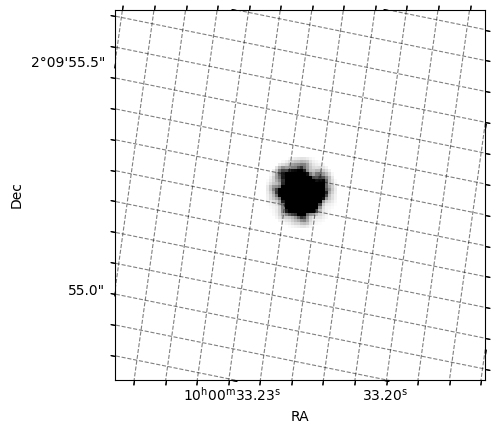
We can then crop the PSF using spike.tools.cutout. cutout will also output an array that contains the cropped region, but we’ll read it in to demonstrate that the WCS is preserved. The default FOV is 120 pix x 120 pix.
[19]:
psfcrop = cutout(img = modelpath, coords = hstobj, save = True)
[ ]:
modelpath = hstimg.split('j8pu42ecq_flc')[0]+'j8pu42ecq_150d08m15.267s+2d09m52.304s_F475W_topsf_crop_flc.fits'
psfimg = fits.open(modelpath)

psfmod = psfimg[1].data
psfwcs = WCS(psfimg[1].header, psfimg)

fig = plt.figure()
plt.subplot(projection=psfwcs)
ax = plt.gca()
ax.coords[0].set_ticks(spacing = 0.5*u.arcsec)
ax.coords[1].set_ticks(spacing = 0.5*u.arcsec)
plt.imshow(psfmod, vmin = np.nanpercentile(psfmod[psfmod != 0], 20),
           vmax = np.nanpercentile(psfmod[psfmod != 0], 75),
           origin = 'lower', cmap = 'Greys')
plt.grid(color='k', ls='--', alpha = 0.5)
plt.xlabel('RA')
plt.ylabel('Dec')